
Favorite Internet Finds – Eating at Weddings, Social Media Calendars, + More – Friendors Consultancy

FAVORITE INTERNET FINDS (2)

Hey there, Friendors! Happy Monday! We’re just gonna jump right into it today. 🙂

First, press play on this bomb ass mix by DJ Cuttlefish, then start clicking all the awesome links below. Enjoy!

Untitled design (1)

We often hear that industry professionals struggle with eating at some weddings. How to make sure you eat when you’re working a wedding by Offbeat Empire gives ya some tips on how to make it easier. Click here.

Untitled design (1)

Social Media can be a weird ground that’s time consuming and confusing. Why You Need A Social Media Calendar and Examples over on Hootsuite‘s blog helped us. Click here.

Untitled design (1)

Do you know how large of a role Social Media plays into a bride’s wedding planning? Wedding Wire does! Click here.

Untitled design (1)

Brides.com shared 45 Fascinating Wedding Traditions from around the world. Click here.

Untitled design (1)

Wedding Wire EDU shares 10 Creative Ways to Use Your Reviews. Click here.

Untitled design (1)

Brad Pitt is a Photographer now. Whaaaat? Yeah, he photographed Angelina and their family for W Magazine. Click here. (You’ll have to buy the magazine to view the full interview and all of the photos. Or, you can try to view it while you’re waiting in line at the grocery store. Is that wrong?)

Untitled design (1)

Amy Schumer did a skit on everything wrong with engagement sessions. We think her first few jokes hit the nail on the head (so true and so funny) but the skit loses our interest once it moves into baby placentas and dead weight. Like, what? Click here.

Untitled design (1)

Until next time!

xoxo, Friendors Consultancy

5 Email Marketing Softwares – Friendors Consultancy

Some of you may or may not know, but we send out monthly newsletters in collaboration with Far Out Galaxy. Those of you that know have asked for advice on the best way to go about email marketing – campaigns, templates, etc. So, we’re here to open the door and to share some email marketing sites/systems that are out there.

Here are 5:


Constant Contact

Mad Mimi

Mail Chimp

Vertical Response

Benchmark Email


Let us know what specific questions you have about email marketing (or anything else industry related) and we just might blog about it!

Want to be blasted in one of our emails?

Contact us at Hello@Friendors.com


xoxo,

Friendors Consultancy
 

Social Media Scheduling Tools – Friendors Consultancy

Hiiii! We know lots of you, including us, struggle with the overwhelming task of Social Media. It’s this weird ground that’s really time consuming and often times confusing. We all try to find ways to simplify the process, and one of those ways is scheduling.

We’re here to share with you some tools that are for scheduling your Social Media so you can get off that smart phone and computer of yours and get to living your life, all while still maintaining an online presence. You’re welcome. 😉

There are soooo many scheduling systems, it seems, and these are just the ones we’ve used before or heard good things about.


Hootsuite

Hootsuite is the leading social media management system, in the form of a dashboard. It seems to have the widest reach across all platforms within one management system: Twitter, Facebook, LinkedIn, Google+, Foursquare, MySpace, WordPress, TrendSpottr and Mixi. You can have multiple users, social profiles, etc. There are free as well as paid plans.


Buffer

Buffer is used by Fortune 500 companies, like Fortune (get it? hahaha, punny), Business Insider, and other big names. It allows posting to Facebook, Twitter, LinkedIn, Google+, and Pinterest. They bank on “Schedule As You Discover”, with browser extensions and apps. As far as we know, there are no free accounts, only paid. But, you can get a free trial. (note that this one includes Pinterest while Hootsuite does not)


TweetDeck

TweetDeck is a Scheduling System for Twitter, by Twitter.


Facebook

Facebook allows you to schedule posts within their platform now, for free – so why wouldn’t you? (If you don’t know how to schedule posts on your Facebook page, let us know and we’ll write about it.)


(note that none of these include Instagram)


Publish

Publish is a mobile app for posting to Instagram  (although Instagram doesn’t allow scheduled automatic posts, you can go ahead and set your posts up and manually post them) and it’s actually our favorite. Not only does it let you schedule your Instagram posts, but it also chooses when you should be uploading them for you – you know, the best times.  It will just pop up on your phone and say it’s go time. You can override that with your own times but we just suggest sticking to their word. There are free as well as paid plans.


Latergramme

Latergramme is another mobile app for Instagram posts. It doesn’t have the feature that Publish has where it chooses the best time for you, but it’s super easy to use. And free.


(note that Instagram also allows your posts to push to Twitter, Tumblr, Facebook, and some other social sites that most of us don’t use. This means Publish and Latergramme are really like  scheduling tools for these sites as well. Wham Bam!)


IFTTT

IFTTT is a site we talked about in our 3 Apps You Need post. It’s a recipe creating system that allows you to create ‘If This Then That’ formulas between your social sites. It’s not technically a scheduling tool but it helps. Example: if you post to Facebook, then automatically push the post to Twitter as well, or whatever other formulas your mind can come up with. Just connect all your social sites and get to it. It’s free!


When choosing how to manage your social media, we think it’s mainly a matter of how much, if any, money you want to spend, whether you want to knock out all your platforms in one system or not, which social sites are the most important to you, and, you know, everything else. Good luck choosing!

Let us know if you need any help and what you’d like us to write about next!! 🙂


Favorite Internet Finds – Instagram Takeovers, Cats, Authenticity Online, + More – Friendors

Hey there, Friendors. We’re here with our second ever post in the series Favorite Internet Finds by Friendors, where we share the best things we’ve came across on the internet recently, whether we stumbled upon it or sought the information out. We think these things will brighten your day and week.

Untitled design (1)

tumblr_ng3m41pLk71skszago1_1280

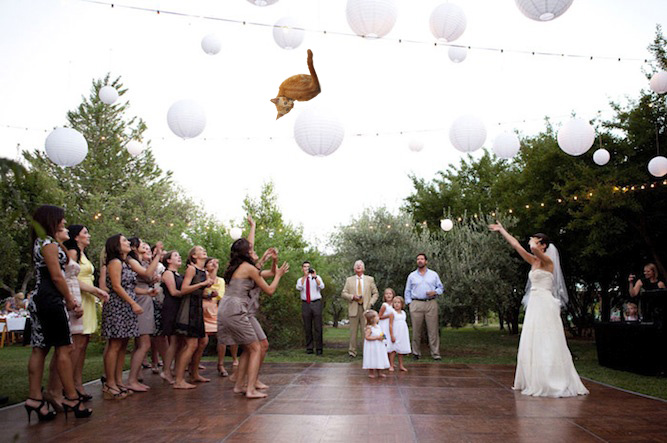
There is a Tumblr where wedding bouquets are replaced with cats. So clever. Click here.

Untitled design (1)


instagram

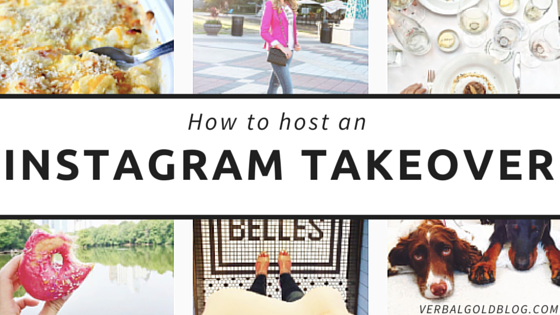
Ady from Verbal Gold blog shares with us How to Host an Instagram Takeover. Click here.

More tips on how to host an Instagram takeover on Latergramme. Click here.

Untitled design (1) wonderlass

5 Ways to be Authentic Online by Wonderlass, a kick ass business owner and blogger. We adore her and you will too! Click here.

Untitled design (1)

It makes us sad when we see industry professionals complain publicly online about their job or how ready they are for wedding season to be over. This industry rocks and we’re all lucky ducks to be a part of it. Don’t be that guy by Offbeat Empire delves into why you shouldn’t complain about the industry online. Click here.

Untitled design (1)

Atlanta Asian Wedding Dj 2

This sick mix by DJ Cuttlefish has had us pumped up for hours. Tryna get in the groove? Click here.

Untitled design (1) ps-babes-545-1024x682

Gala Darling, a blogger (and co-founder of Blogcademy that we just went to!) who writes about Radical Self Love, gives us a Punk Rock Approach to Living the Life of Your Dreams. Click here.

Untitled design (1)

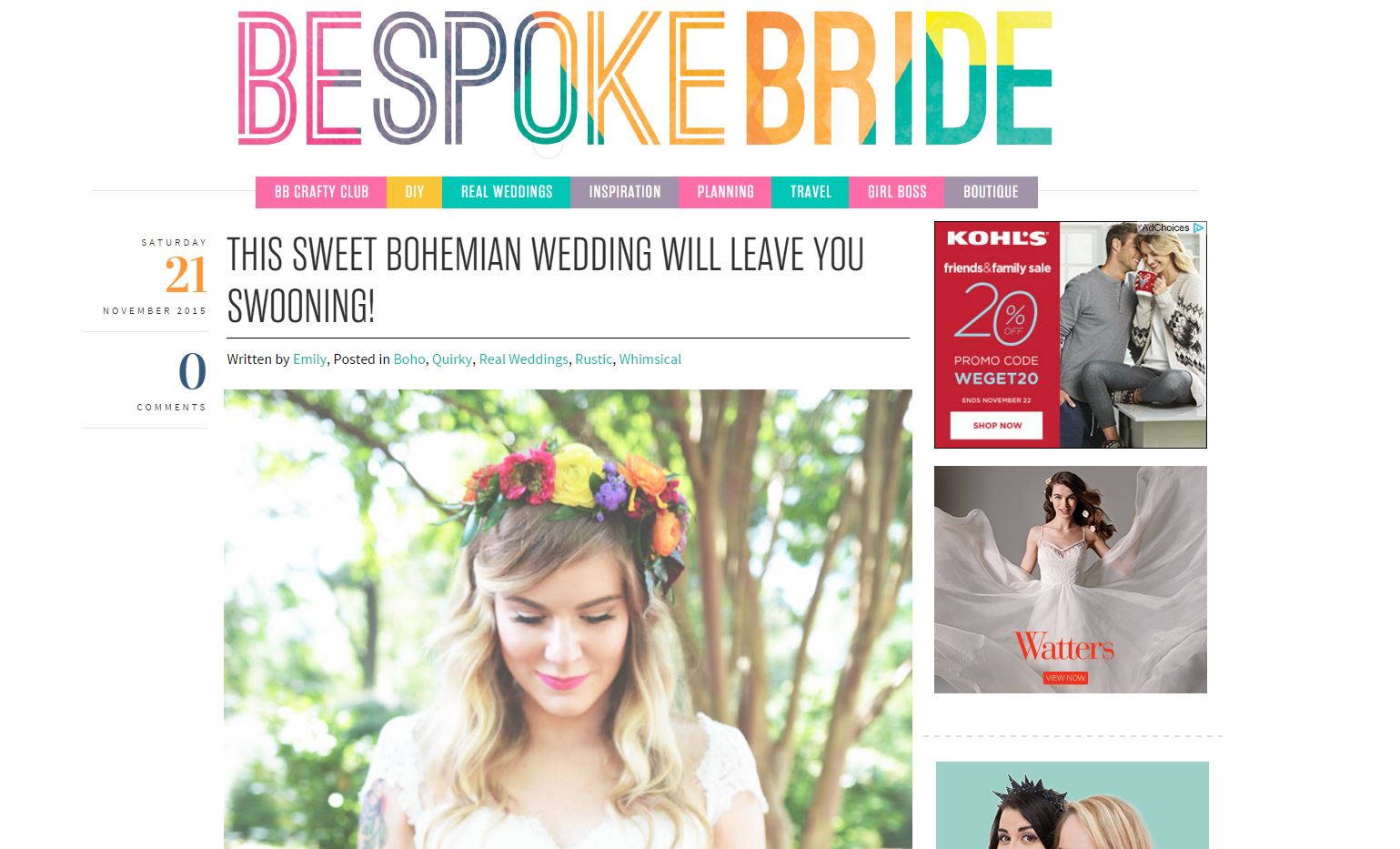
bohemian wedding on bespoke-bride This gooooorrgeous Bohemian Wedding published over on Bespoke-Bride.

Untitled design (1)


Until next time, xoxo


3 Apps You Need – Friendors Consultancy

Hello, Friendors! We took a look at our phones and are sharing 3 apps that we find helpful. Learn about and download them noooowwww.


1. VSCO

VSCO stands for Visual Supply Co. and is a photo editing app (designed for photographers and artists) that’s ruling Instagram right now. It’s super user friendly and professional looking. Why aren’t you spiffing up your images now?


2. Google Drive

Google Drive is exactly what it is on your computer, except on your phone. Can you imagine how easy it would be to have everything in the Google cloud on your phone and computer to access anywhere?


3. IFTTT

Connecting our favorite apps together, IFTTT is an app that creates recipes to streamline your social media. IFTTT stands for If this then this. An example recipe: If you post to Facebook then it will automatically post to Twitter as well. Easy peezy lemon squeezey online life for ya now.


Do you use any Apps you find helpful? Share them with us! Comment below or email Hello @ Friendors .com

Calling Anonymous Friendors

We’re writing a new post called Friendors Anonymous and we need your help! (Have you ever heard of PostSecret? Similar concept!)
It’s going to be a a kind of humorous list, with several anonymously submitted secrets and funny things about life as an industry professional (things that have happened to you, you’ve seen, how you feel, etc) that we wouldn’t admit to openly.
EX: My favorite thing to do after a full day wedding is pick my nose on the car ride home.
There are tons of funny ones to come soon on the blog post and I hope you’ll email us something too, to
Hello @ Friendors .com (without the spaces).
This post is our written contract that we will not share who shared which secret with anyone else.


Favorite Internet Finds – Friendors

We love the internet. It’s a seemingly endless pit of memes, cat videos, and business advice, the things that make our worlds go round. Because of it’s incredible-ness, we are beginning a new category on the blog – our Favorite Internet Finds.

Here is the first of many to come!

Enjoy!


Untitled design (1)

To start the post off right, here’s a cat that we’d love to chill with.

Untitled design (1)

what should we call wedding photography

What Should We Call Wedding Photography is a Tumblr that we could spend hours on. Okay, a site that we have spent hours on. Hours upon hours.

Untitled design (1)

563a35432900002f004dc23f

This Dude proposed with his Wisdom Tooth. Wicked.

Untitled design (1)

You may have already seen this – it’s been circulating the internet for quite some time, but we’re still in love.

Untitled design (1)

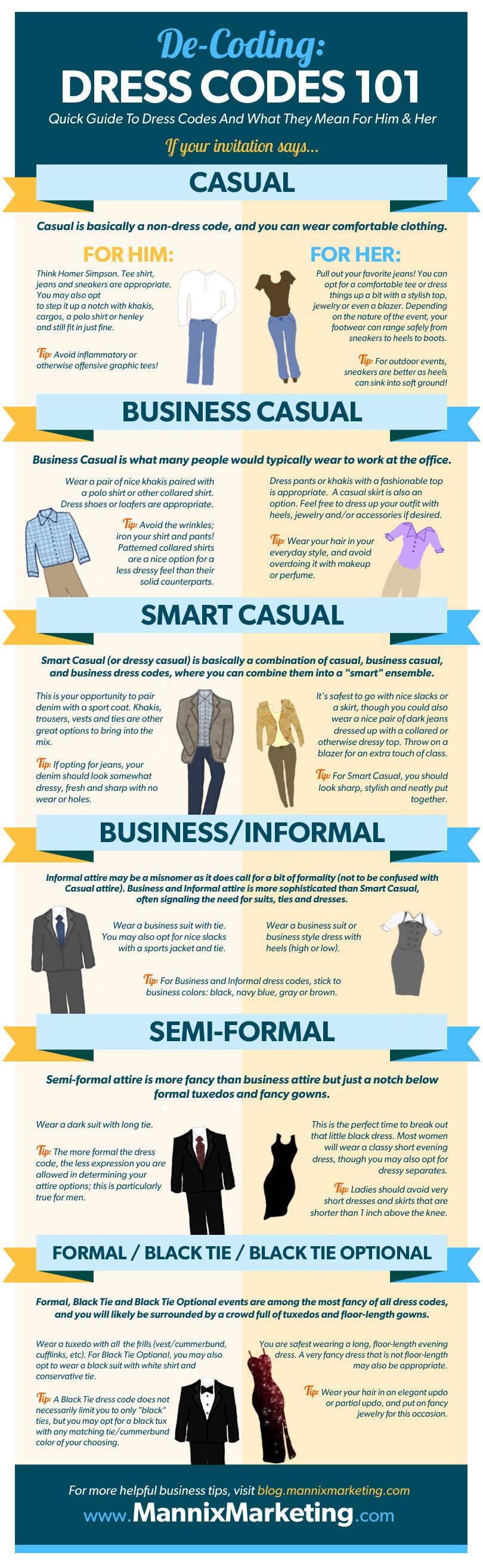
infographic-dress-codes


Until next time, xoxo.


‘Like’ us on Facebook and ‘Follow’ us on Instagram so you don’t miss a thing that goes on our site!

How to Tag People on Your Facebook Page

Friendors, Facebook has this new thing goin’ on with Pages where you cannot tag People – in statuses, in images, in anything – as the page itself.

We know it bothers you, Page Admins, cause it bothers us too.

We had to find a way to tag. Tag, tag, tag.

So, here is a step by step on how we work our way around this nonsense. AKA, we’re trickin’ the system like the little baddies we are and teaching you our rebel ways. For the greater good.


1. Instead of a status, post an image to your Facebook page. (Images do better than text anyways)

2. Share the image to your Personal Profile from your Page.

3. Go to your Timeline and right click on the image and click ‘Open link in new tab’.

4. Once you have the new tab open, (you’ll see that it’s the old way of Facebook image viewing, not in a pop up like it is now) make sure you are ‘liking and commenting as’ yourself and not the page.

5. Tag away!


We’re not sure why our Page rights are so wack but we’re sure this will work. At least for us. 😉

If you have any questions about specifics on the steps, let us know and we’re totally here. Comment below or email hello @ friendors.com.

We were able to tag people in statuses not long ago but something else changed and it’s a mystery to us again. Maybe we’ll be back with Part II of Facebook tagging. 😉

4 Wedding Industry Events You Don’t Want to Miss – Atlanta

Hey there, Friendors. We heard about these four events and thought you should hear about them too. Three professional workshops and one open house. Learn more below!


Getting Published
Thursday, October 22, 2015


Thankful for Technology!
Wednesday, November 4, 2015


Paperless + Productivity = Profit
Thursday, November 5, 2015


Fall Open House
Sunday, November 15, 2015


3 Topics We Learned About at Wedding MBA

Processed with VSCOcam with k2 preset

Hey there!

We here at Friendors Consultancy are firm believers in soaking up knowledge and making learning fun. ? When there’s a conference in Las Vegas for our industry, there’s a pretty high chance you’re gonna find us there. Naturally.
We recently made our way from Atlanta, GA out to Las Vegas, Nevada for the annual Wedding MBA (Merchants Business Academy) conference.

Chocked full of big names and speakers like Wedding Wire, The Knot, Perfect Wedding Guide, Alan Berg, Jason Hennessey, and more, we’re reporting back to say this may be our new favorite conference. Don’t tell the others. ?

We returned with bazillions of notes we took on our iPhones (we’re paperless!) and are here to share just 3 topics we learned about and who we learned em from so you can give the topic a closer look yourself.

1⃣ SEO

Even if you don’t know everything about it, we’ve all heard of SEO, the magical Internet concept we’re all dying to conquer. (Google, Google, I want you to notice me as bad as I wanted my 7th grade crush to.) SEO, Search Engine Optimization, is pretty much the key to the future and your success. ??

So, here are a few things we learned:
? The longer your blog posts, the better.

Now, you’re probably thinking ‘but who even reads long articles on the internet anymore?

Google, that’s who. And your mom. Seriously, probably a lot of people. ? The more content you have related to your field (florals, wedding planning, etc), not some off topic shizz, the more content the Bots have available to pick up and recognize you as someone who should be on their search query pages, someone who knows what they’re talking about and is credible.

We hear around 1,500 words per post should do the trick. No bullshit, just raw helpful content. Rack your brains for quality, Friendors!

If you need help coming up with blogging ideas, we’re here to help you!

Email us at Hello @ Friendors . com
? Use Page Speed Insights to see how your website is performing.

You’re not the only one that hates slow sites. Google and your client do too. PageSpeed Insights will show you exactly what’s wrong with your page that’s preventing it from performing properly. You just copy and paste your sites url for the review.

We probably won’t know how to fix the issues, and you probably won’t know how to either, so you should probably find a coder to help you after you run the site. Send them over the list – you’ll know whether they fixed it correctly or not after you run your site again and see if the list gets shorter or disappears.

We learned these tips from Jason Hennessey. To learn more about SEO, we can help you, but he’s probably the go to guy.
? OUR TIP for this section:

Remember that you can do all this poolside!
Processed with VSCOcam with m4 preset

2⃣ Website Viewing + Tracking

? Do you know how people’s eyes view your website and so you can properly design your first impression?

Meghan of OFD Consulting reports that we view pages on the Internet in the shape of an uppercase F and Z. Shape your site this way – sidebars, blog titles, image placement, etc. Places important information or image in the right place means user interaction is sure to increase due to the easiness on the eyes.

Before some tips from Wedding Wire, here’s a video clip of us at their annual party at the conference.

? Do you know what type of device most of your website traffic is taking place on?

According to Wedding Wire, around 60% of potential clients are viewing your website on their mobile device before, if ever, on a desktop.

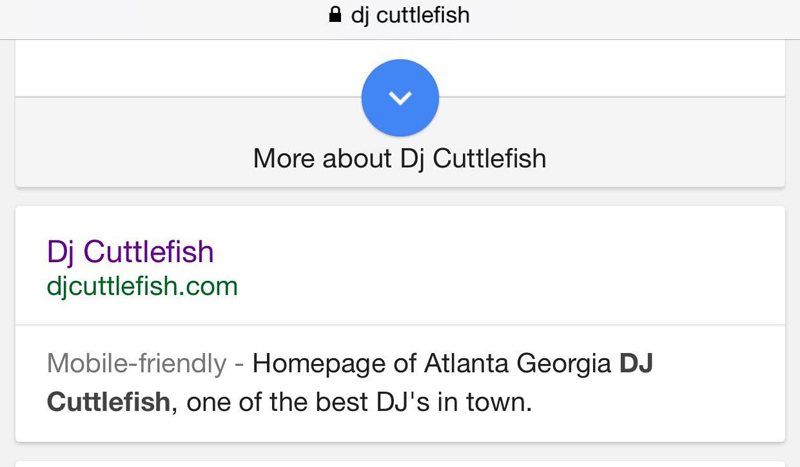
You should have a mobile friendly website. Don’t know if you’re mobile friendly? Go to Google.com on your mobile device and search for your company. Before the site description will be ‘Mobile Friendly’ in a lighter shade of gray if your site is mobile. Photo example below.

img_6187-e1444335128506

If you’re not mobile friendly, Google is taking the liberty of dis-including you from all mobile searches. That’s most of your market. Get a mobile site! Most themes have mobile settings built in, or you can custom code one. However you do it, do it soon. Like, right now. New tab. Immediately.

? Do you know how to track your site visits?

You can find out the specifics of how people are viewing your site by using Google Analytics. It’s super easy and if you’re not using it, get to it. Not only can you view what type of device most of your users are visiting  your site on, you can also see where they are coming from – what websites are leading them to you, your top site referrers, how long they spend on each page, and more.
3⃣ Reviews

Now, more than ever, consumers are trusting online reviews to make their purchase decisions. Sometimes they trust these reviews more than personal referrals. According to Wedding Wire, 95% of couples are using online reviews when shopping.

A few websites you can get reviews on are as follows:

? The Knot
? Wedding Wire
? Perfect Wedding Guide
? Google
? Facebook

and more.

All of these sites are free and if you don’t have a company listing for each one, you’re doing this whole wedding thing wrong.

Reviews should be in the double digits. Eleven or more. Wedding Wire reports that your traffic will increase 123% when you have double digit reviews.

How do you get reviews? Ask! You’ll be surprised how willing your adoring clients are. An alternative form is moral bribery – offer gift cards for completing 5 review sites. However you do it, online reviews are becoming increasingly important to have.
Anyways, those are our 3 topics we’ve brought back for ya… in this post 😉 Now just enjoy some of our photos!

Processed with VSCOcam with m4 preset

Processed with VSCOcam with m4 preset

Processed with VSCOcam with k2 preset

Processed with VSCOcam with m4 preset

Processed with VSCOcam with m4 preset

xoxo